Get an email when any YouTube channel mentions your keyword
Published:
If you follow a topic through YouTube, you already know the problem. The people who matter publish hours of video every week, the news is buried somewhere in minute 41 of a livestream, and nobody has time to watch it all just in case. So you either skim titles and miss things, or you give up and hear about it from someone else three days later.
!Keyword alerts demo: follow a channel, add a keyword, get the exact moment
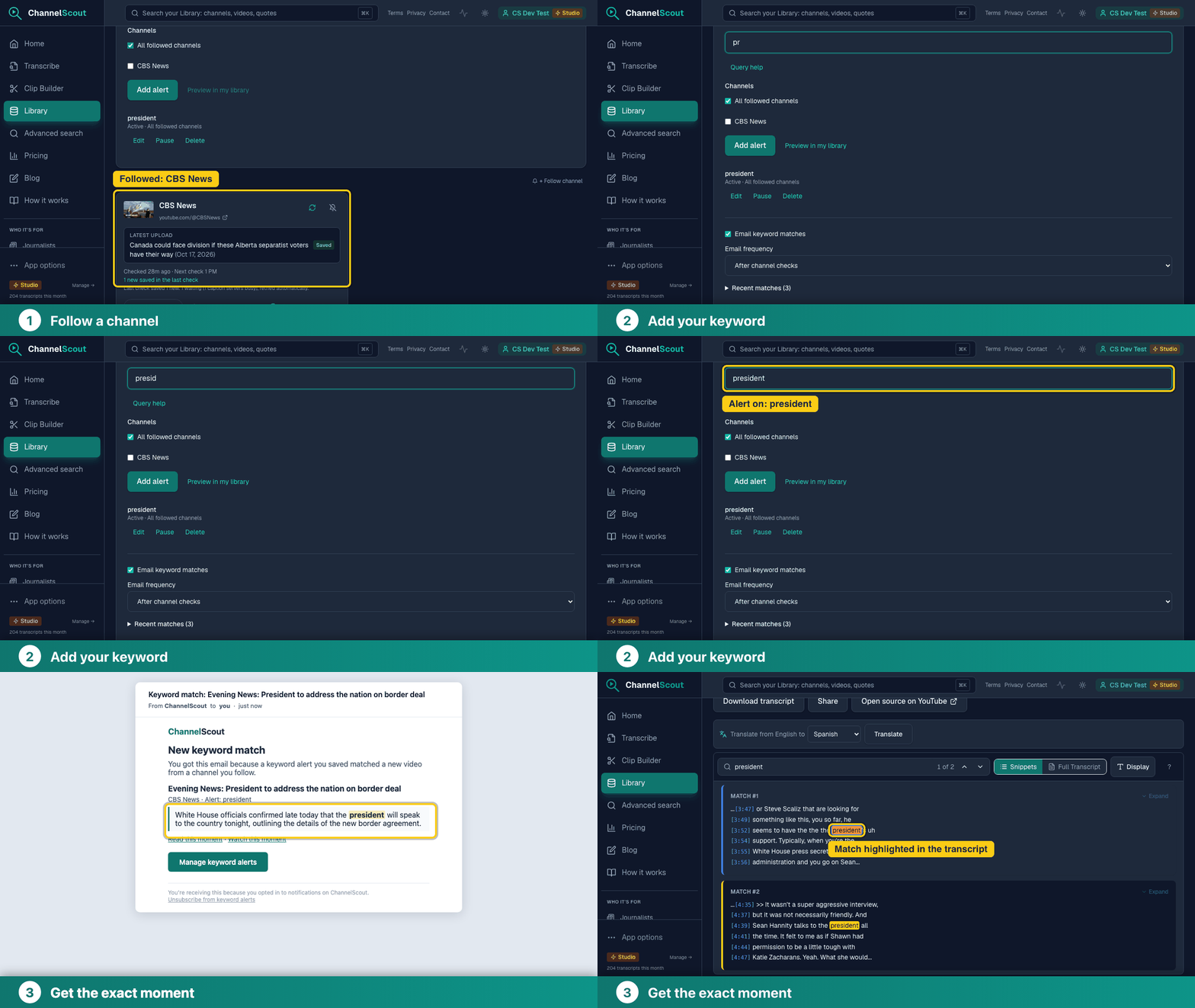
ChannelScout keyword alerts are built for exactly this. You follow a channel, you add a keyword, and when a new video says that word, you get an email.
What the email contains
The email is not a notification that "something changed." It shows you the matching sentences, with your keyword highlighted, so you can judge in a few seconds whether the mention matters. Each match links to the exact moment: you can read the surrounding transcript or jump to that point in the video.
Say you track a public news channel for the word "election." One morning you get a short email: three new videos, three sentences, each with the word highlighted and a link. You read the first one, skip the second, and open the third at the timestamp where a guest makes a claim you want to check. That is a few minutes instead of an afternoon.
How to set it up
- Create a free account and follow a channel from your Library. Following a channel collects its recent videos and then checks for new uploads every hour.
- Add a keyword in the keyword alerts panel and choose the channels it should watch.
- Wait for the next email. Free and Basic accounts get a daily summary. Pro and Studio can also choose instant emails.
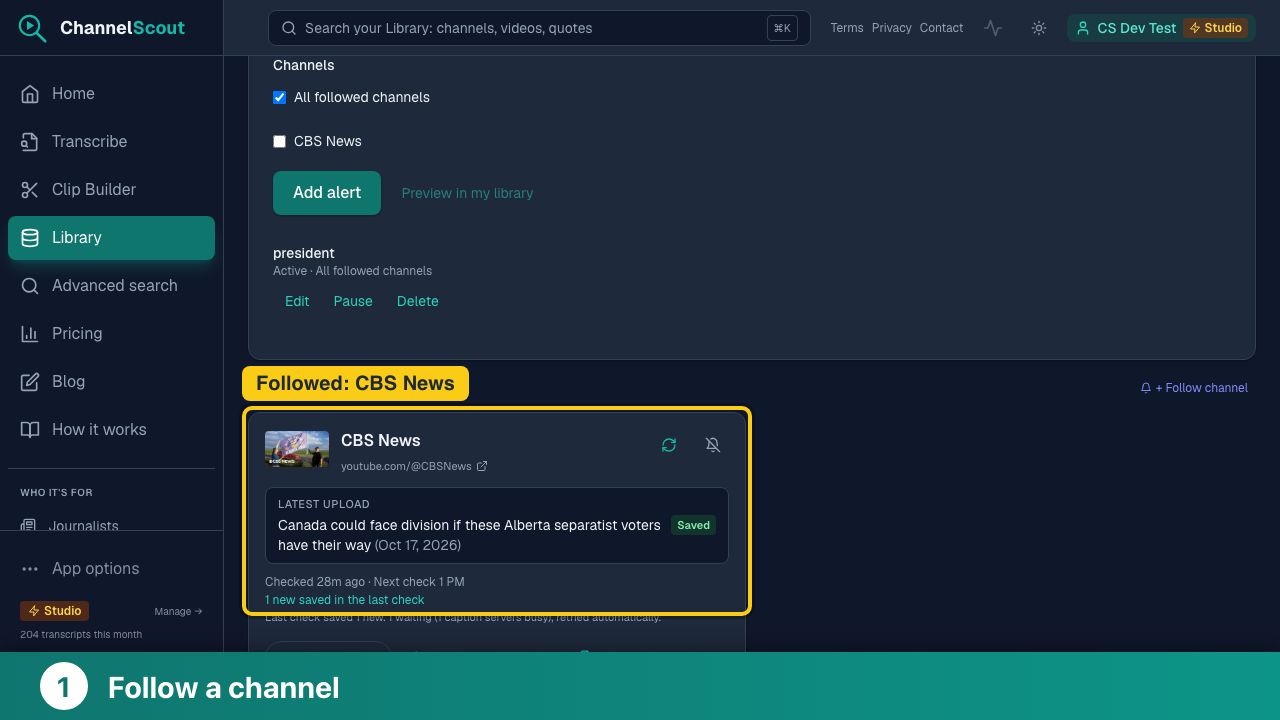
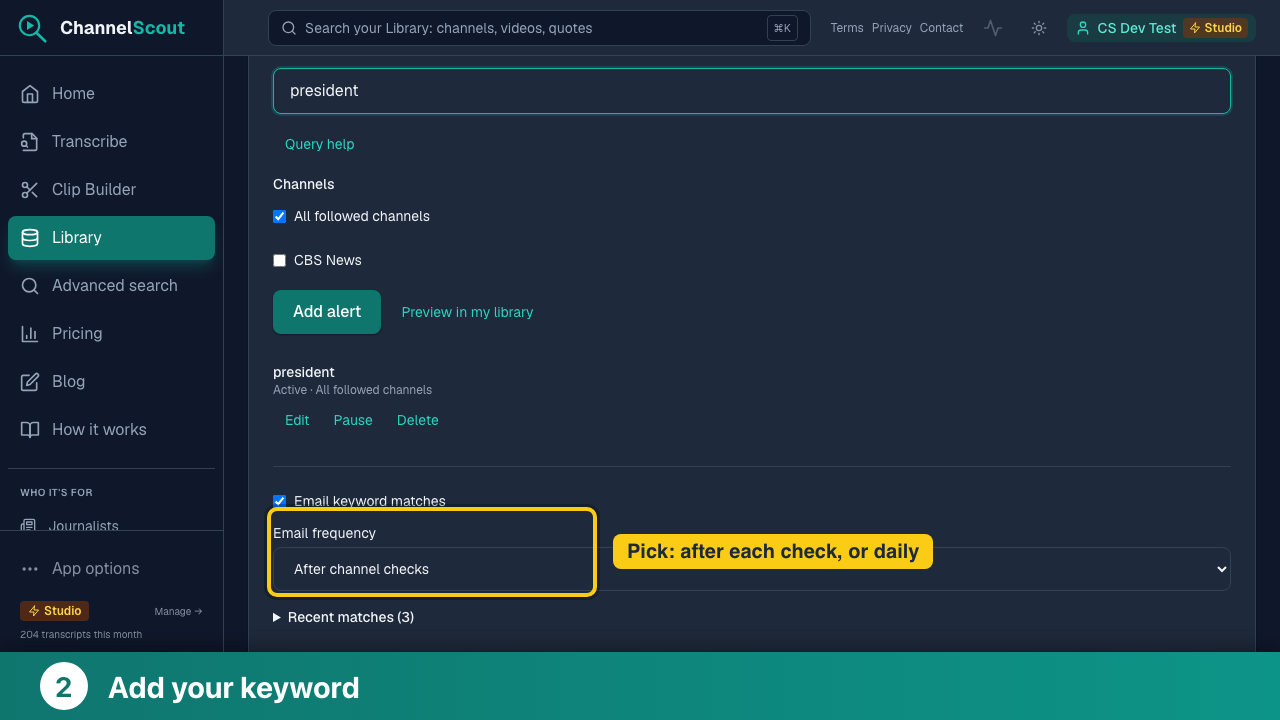
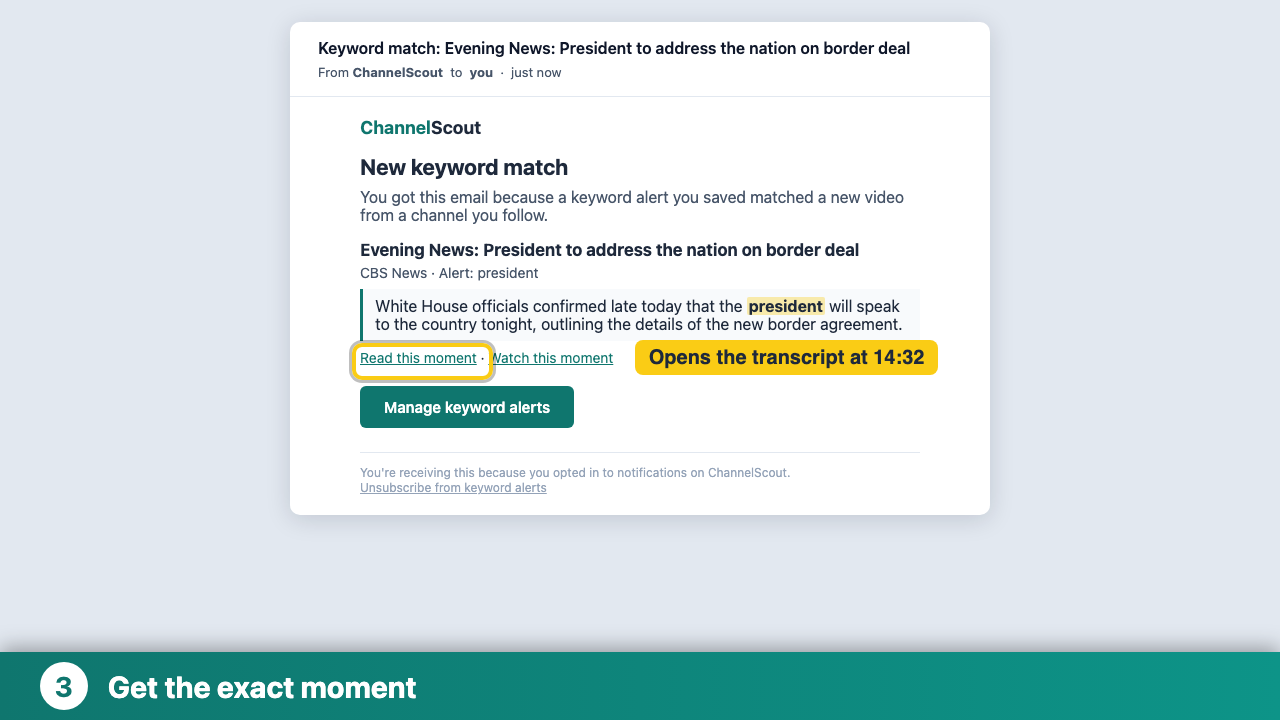
Alerts work on videos that have captions available. A video ChannelScout cannot get a transcript for can never match, so it will not trigger an alert.
Who it helps
Researchers. Track a term across the channels in your field: a drug name, a policy, a person, a place. Every alert is a quoted sentence you can cite, with the timestamp attached, rather than a vague recollection. Matches also land in your saved library, so you can search them later.
Journalists. Watch the official channels you cover, such as councils, agencies, courts, campaigns and companies, for the names and terms you are reporting on. Instead of watching a six-hour meeting, you see the exact sentence where your subject came up and decide whether to watch from there.
Creators. Learn when someone mentions your channel, your product, or your niche's hot topic in a video, and respond while the conversation is still going. It also works for tracking a competitor's announcements or a collaborator's new series.
Plans and limits
- Free: 1 keyword alert, daily summary email, 1 followed channel.
- Basic: 5 keyword alerts, daily summary email, 2 followed channels.
- Pro: 25 keyword alerts, daily or instant emails (up to 10 instant emails a day), 5 followed channels.
- Studio: 100 keyword alerts, daily or instant emails (up to 30 instant emails a day), 20 followed channels.
Alerts need followed channels, so the number of channels you can follow sets how widely a keyword can look. Matching is on what is spoken in the video, as captured in its transcript.
Why this exists
I built ChannelScout as a researcher tool for my own work: I needed to find what people said across many videos without watching them. Keyword alerts are the same idea turned around. Instead of searching later, you hear about it when it happens.
The lowest-priced spoken-keyword alerts for YouTube channels: free to start, and from $9/month. Get an email with the exact sentences and a link to the moment when your keyword is spoken in a new video.
Try it free
The free plan includes one keyword alert and one followed channel, no credit card required. Pick the channel you most wish you could keep up with, add the one word you care about, and see what lands in your inbox tomorrow.